Ordine di gruppo
1. What is Group Order?
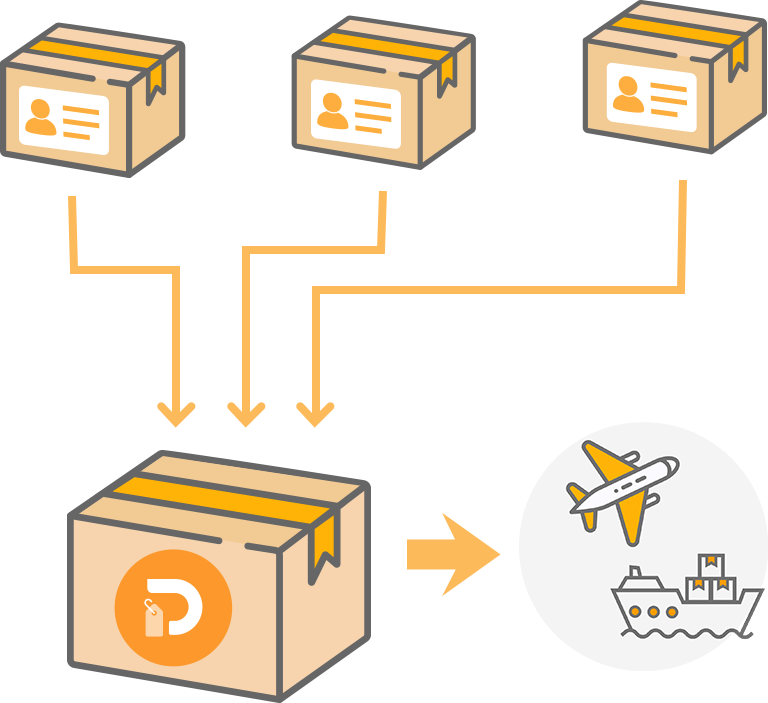
The Group Order allows multiple users to combine their orders into a single international shipment, helping to share and reduce international shipping costs.In the Group Order Center, the Group Leader can create a Group Order and set the shipping method, participation fees, and joining requirements, while Group Members can browse and apply to join existing Group Orders.
2. Supported Shipping Methods
Currently, Group Orders support the following shipping methods: Japan Post EMS, Air Mail & Surface Mail.
※ Other shipping methods are not currently supported for Group Orders.
3. Eligibility Requirements and Fees
Before joining a Group Order, please ensure that your order meets the following requirements.
Order Requirements
- Only orders with the status "In Warehouse" are eligible to join a Group Order.
- Orders that have entered the paid storage period are not eligible to join a Group Order.
- Orders must comply with the shipping restrictions of the selected shipping method. For example, battery restrictions for air shipping also apply to Group Orders. A Group Order package may contain no more than 2 items with built-in lithium batteries.
- The destination country of the order must match the destination country specified by the Group Order.
Fees and Charges
3-1. Group Order Shipping Fee
Once the Group Order has ended, the Leader will pay the estimated international shipping cost and any applicable service fees based on the estimated weight of all participating orders. When the package is dispatched, the shipping cost will be recalculated based on the actual package weight.
- If the actual shipping cost is lower than the estimated amount paid, the difference will be automatically refunded to the Leader's original payment method.
- If the actual shipping cost exceeds the estimated amount, Doorzo will cover the difference and no additional payment will be required.
3-2. Group Order Fees and Payment
Doorzo charges all Group Order-related fees directly to the Leader, including but not limited to: international and domestic shipping fees, customs duties (if applicable), return shipping fees, reinforcement fees, package consolidation fees, and handling fees.
The amount payable by each Member is determined solely by the Leader and may vary. Before joining a Group Order, Members should carefully review the fee information provided by the Leader and ensure they agree to all applicable charges before submitting a participation request. For detailed fee information, please contact the Leader directly.
3-3. Coupons and Points
Coupons and points cannot be applied to Group Order fees.
4. How to Create a Group Order (For Group Leaders)
| Step | Details |
|---|---|
| Step 1 Start a Group Order |
Go to [Doorzo App] → [Account] → [Group Order Center] → [Group Management] and click [Start Group Order]. |
| Step 2 Fill in Group Information |
Enter the required information, such as the group name, shipping address, and shipping method. After confirming that all information is correct, click [Next]. |
| Step 3 Share the Invitation Code |
Once the Group Order is successfully created, the system will generate an invitation code. The Leader can share this code with friends and family, who can join the Group Order by entering it. |
| Step 4 End the Group Order |
When the orders in the Group Order meet the shipping requirements and are ready to ship, the Leader must click [End Group] to end the Group Order. After the Group Order is ended, no new members can join. Please make sure all participating orders are correct before proceeding. |
| Step 5 Select Additional Services and Submit a Shipping Request |
After the Group Order has ended, the Leader may choose whether to add optional services such as package reinforcement, then pay the international shipping fee and any applicable charges before submitting the shipping request. |
| Step 6 Shipment and Delivery |
Once Doorzo receives the shipping request from the Leader, the package will be packed and shipped. After receiving the package, the Leader is responsible for inspecting, safekeeping, and distributing the items to group members within the required time period. |
5. How to Join a Group Order (For Group Members)
| Step | Details |
|---|---|
| Step 1 Find a Group Order |
Go to [Group Order Center] → [My Group], click [Join Group Order], and enter the invitation code to search for the corresponding Group Order. |
| Step 2 Select Orders to Join |
After finding the Group Order you wish to join, select the order(s) you would like to include and submit your application. Once submitted, please wait for the Group Leader's approval. After approval, the selected order(s) will be added to the Group Order. |
| Step 3 Wait for the Group Leader to End the Group Order |
Once the orders in the Group Order meet the requirements, the Group Leader will end the Group Order. After the Group Order ends, items within it can no longer be removed or modified. The Group Order package will be delivered to the shipping address provided by the Group Leader. |
| Step 4 Wait for the Group Leader to Distribute the Items |
After receiving the Group Order package, the Group Leader will inspect the items and distribute them to each group member in accordance with the agreed arrangement. |
6. Important Notes
- Before joining a Group Order, both the Leader and Members must carefully review the Leader Guide, Member Guide, and Agreement. For more detailed instructions, please refer to the Leader Guide and Member Guide.
- A Group Order must have at least 3 members, including the Leader. Otherwise, the Group Order cannot be successfully formed or ended.
- After-sales requests for Group Order packages can only be submitted by the Leader. When receiving the package, the Leader should record a complete unboxing video. If there are any issues, please keep all received items and related packaging and contact customer support as soon as possible. For details, please refer to [Leader Guide – After-Sales Service].
- If the package is returned, the Leader must choose how to handle it within 30 days of its arrival at the Doorzo warehouse. For details, please refer to [Leader Guide – Return Shipment Instructions].
If you have any further questions, please contact us via Customer Tickets!