Item's comment
✨ Please update your app to the latest version to experience the new messaging feature! ✨
New Free Service: Pre-Purchase Messaging
Service Introduction
- On the product details page, expand the reviews and click "Item's Comment" → "Write a Message." Select the relevant question and leave a message with one tap to contact the seller directly — making pre-purchase inquiries simple and hassle-free.
・ For products from Japanese shopping platforms, the system will automatically translate your message into Japanese and post it on the seller's product page. If a new message or seller reply is posted, you will receive a notification under 【Message Center】–【Message Items】–【Message Notifications】.
・ For Bunjang products, our purchasing staff will contact the seller directly regarding your question. Once the seller replies, our staff will inform you of their response. - Messages and replies for both Japanese and Korean products can be viewed at any time under 【My Messages】–【Products with Messages】 in the upper-right corner of the Home page.

Usage Instructions
- You can earn "Pre-Purchase Message" credits through purchase orders. Starting from the feature's launch date, each order successfully stored in the warehouse will grant 2 message credits, with a current maximum cap of 100 credits.
- Each user can leave up to 5 messages per day, and up to 3 messages per product.
・ The same question for the same product can only be asked once.
・ If another user has already asked the same question, you cannot ask the same question again.
・ Your available daily quota and total accumulated credits can be checked under "Write a Message" on the product details page. - The messaging feature currently supports Mercari, Rakuten Rakuma, JDirectItems Flea Market, and Bunjang.
・ This feature is APP-only and not available on the web version. - To ensure proper usage, the platform may adjust messaging rules based on actual usage. Any changes will be announced on this page.
*This service is provided free of charge to facilitate communication between users and sellers. It is intended only for items that users are genuinely interested in purchasing. If the platform determines that a user is misusing the service, restrictions or suspension of related privileges may apply.
Upgrade of Free Messaging "Product Selection" Feature
Upgrade Details
- For items that support product selection, you can now choose "Select Item" and enter your expected price when leaving a message on the order confirmation page. The ordering team will then communicate with you via "Selection Alert" so you can stay updated on the selection status.

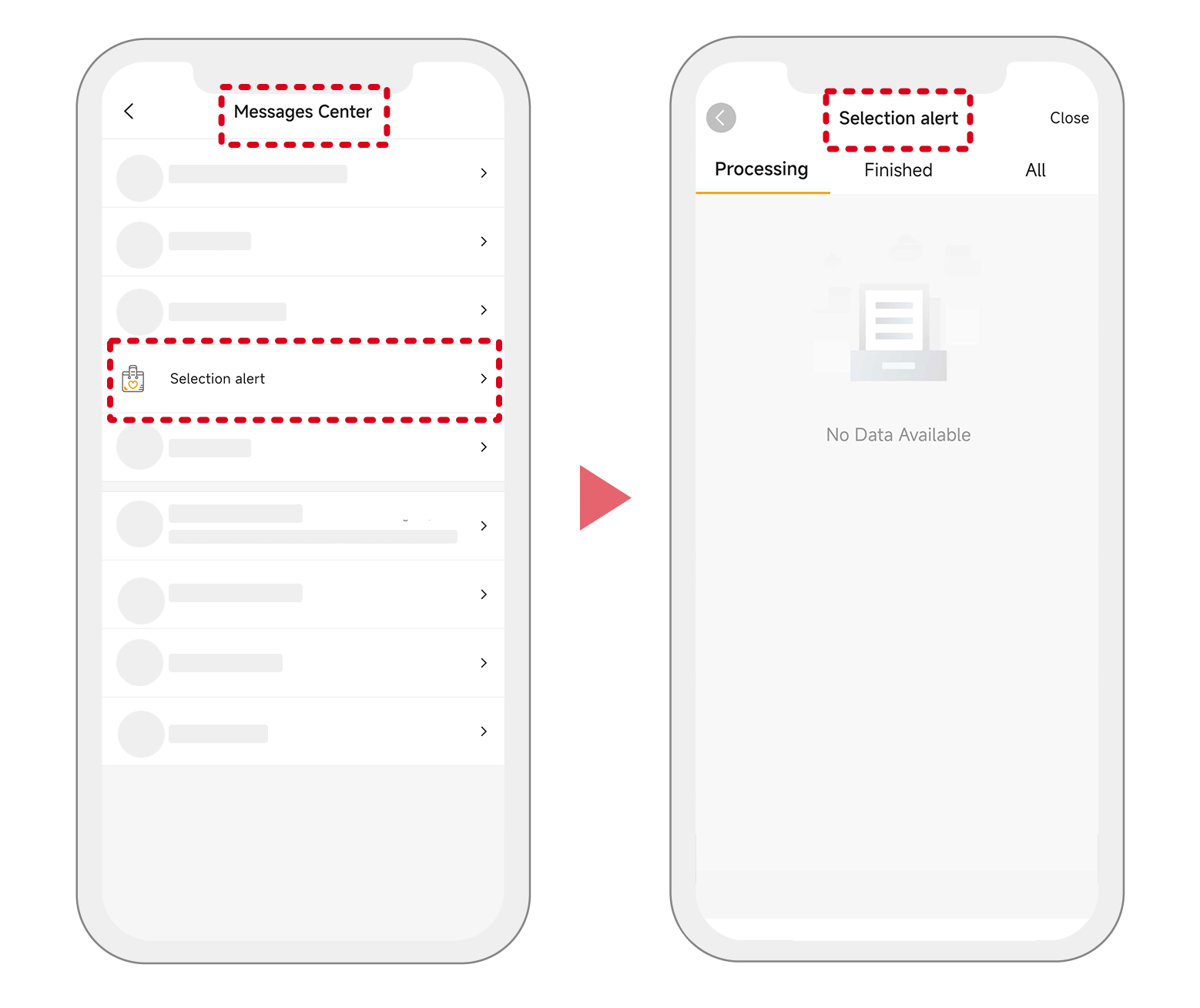
- Once product selection is successful, the chosen item will be automatically added to your cart, allowing you to complete payment directly — saving you the hassle of adding it again manually.
✨ Update the APP now to enjoy more convenient messaging and product selection services! We welcome your feedback on the new messaging feature — please share your thoughts or issues via Customer Tickets. We'll continue optimizing to provide you with an even better service experience!